 Ring Studio
3D ring designer · iPhone, iPad & Android
Design your dream ring in 3D
Ring Studio is the 3D ring designer and ring builder for engagement and wedding rings. Choose every stone, setting, halo and band, or just describe it and let AI build it for you, then see it on your hand.
Free to download and design. Ring Studio Pro unlocks the AI, try-on and advanced options.
Everything a ring designer needs, in your pocket
Real-time 3D ring builder
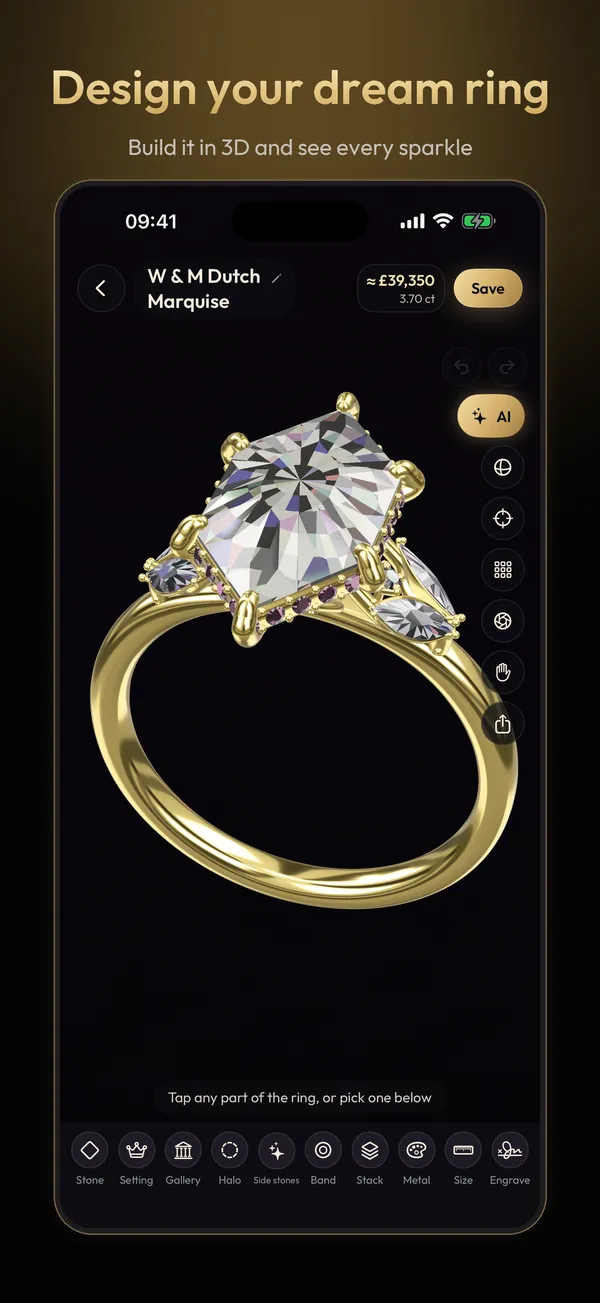
Turn the ring in your hand and change anything: 28 stone shapes, carat size, prongs, halos, galleries, side stones, bands and metals.
AI ring designer
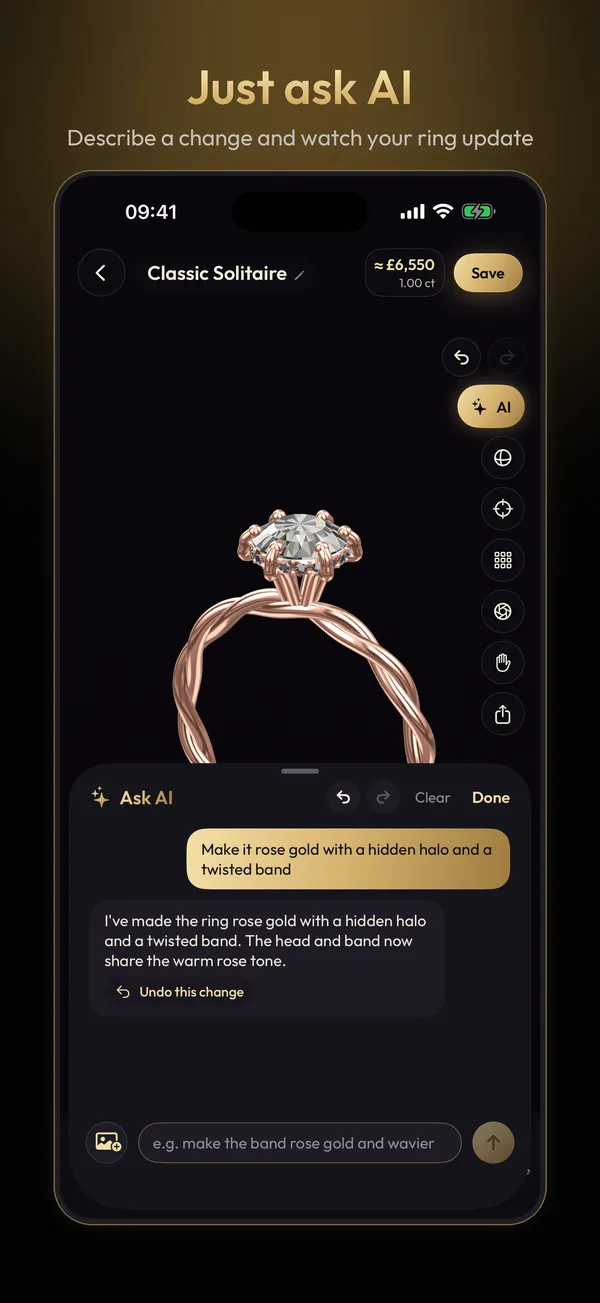
Describe a ring in your own words, or show a photo or video of one you love, and AI builds it in 3D in seconds. Then refine it by chatting.
Wedding band stacks
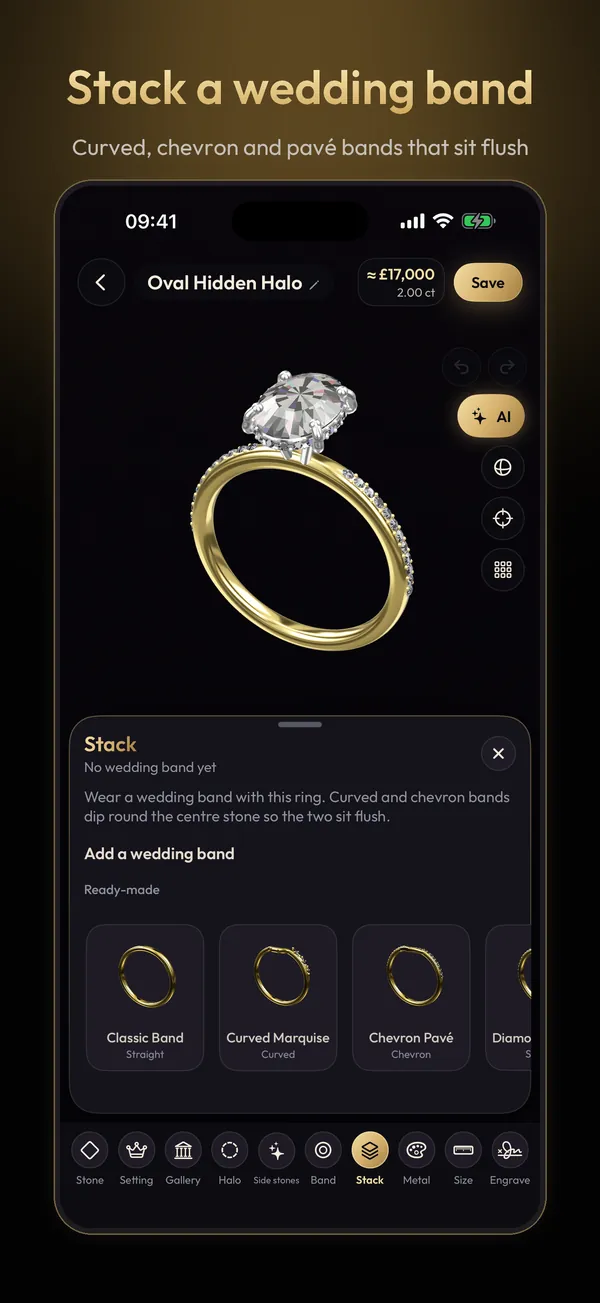
Design a wedding band on its own or stack it with the engagement ring. Curved and chevron bands dip round the stone so the two sit flush.
Try it on
Scan your hand to estimate your ring size, then try the ring on your own hand with the camera or on a 3D hand.
Live price estimate
See a rough price update as you change the stone, carat and metal, so you can compare designs before you visit a jeweller.
Hidden details
Hand-draw initials hidden under the stone and add an engraving inside the band, a secret only the wearer knows.
Share with your jeweller
Send a ring code and your partner, friends or jeweller open your exact design in Ring Studio.
Gemstones and metals
Natural and lab-grown diamonds, coloured diamonds, sapphires, emeralds, rubies and morganite, in yellow, white or rose gold, platinum or two-tone.
How to design a ring in Ring Studio
- Pick a starting pointStart from a classic style, take the style quiz, or describe the ring to the AI.
- Make it yoursTap any part of the ring to change it: stone shape and carat, setting, halo, side stones, band and metal.
- See it for realTry it on your hand, check the price estimate and stack a wedding band.
- Take it to a jewellerShare a ring code or screenshots so your jeweller can quote and make it.
Ring design tools for every kind of ring
Popular guides
Explore by stone shape
Settings and styles
Head-to-head comparisons
Prices
Free tools
Engagement rings around the world
Questions about Ring Studio
Is Ring Studio free?
Yes. Ring Studio is free to download and you can design rings with the core 3D designer for free. Ring Studio Pro is an optional subscription that unlocks unlimited AI design, hand scan and try-on, wedding band stacks, every stone shape and halo, hidden initials and ring code sharing.
Can Ring Studio make or sell my ring?
No. Ring Studio is a design and visualisation app. You design the ring, then share it with a jeweller of your choice using a ring code or screenshots, and they quote and make it.
Is Ring Studio a CAD program?
Not in the manufacturing sense. It doesn't export files for 3D printing or casting. It's a fast, visual way to design a ring and communicate it; your jeweller recreates it in their own CAD software to make it.
Which phones does Ring Studio work on?
Ring Studio is available for iPhone and iPad on the App Store and for Android phones on Google Play.
How does the AI ring designer work?
Describe the ring you want, such as an oval diamond on a thin gold band with a hidden halo, or show it a photo or video of a ring, and it builds an editable 3D design. You can keep refining it by chatting.
Are the prices in the app real quotes?
No. The live price is a rough estimate to help you compare designs. Prices vary by jeweller, stone quality and metal prices, so always get a quote.